Labels on the landscape, not on a list
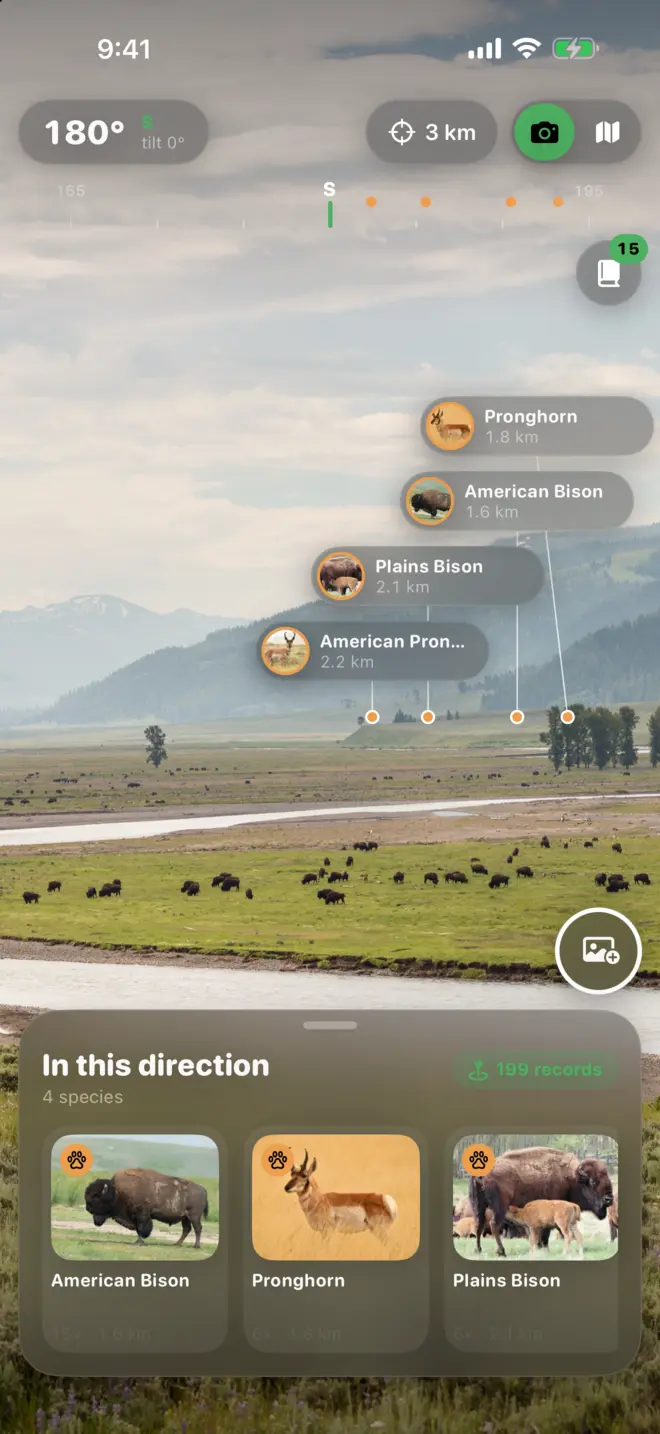
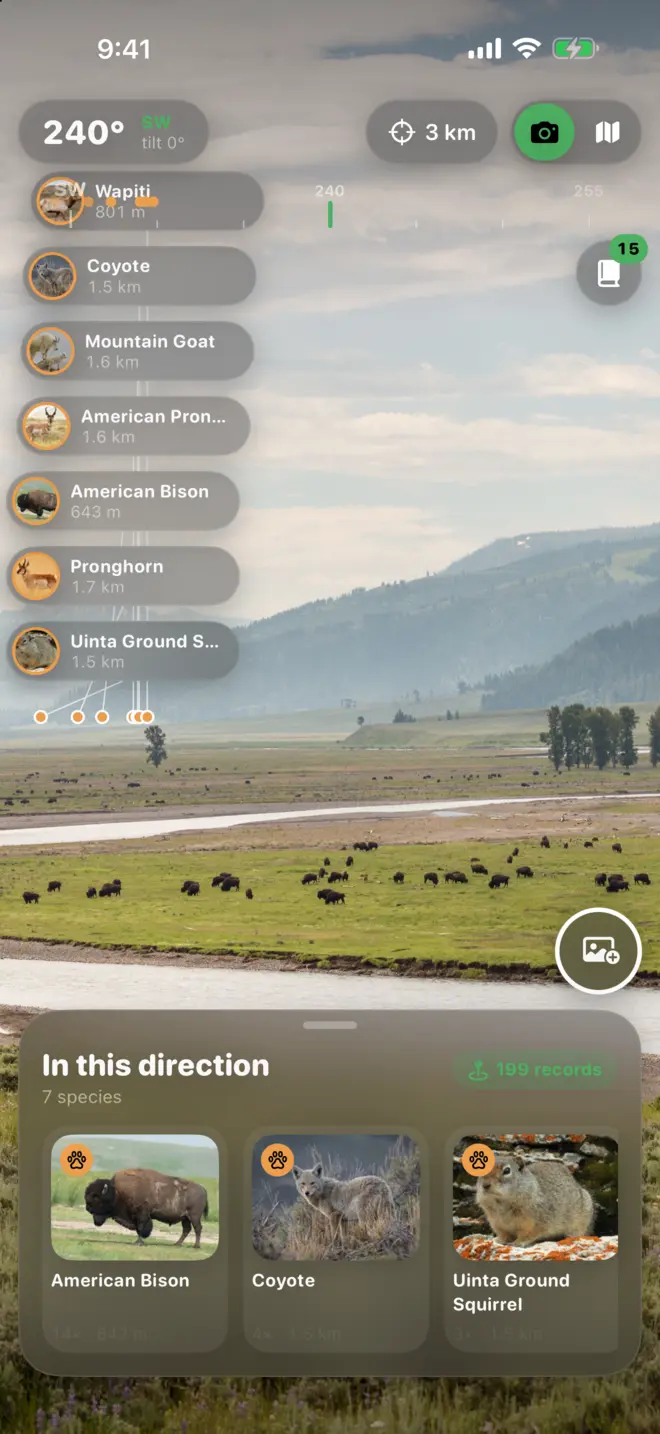
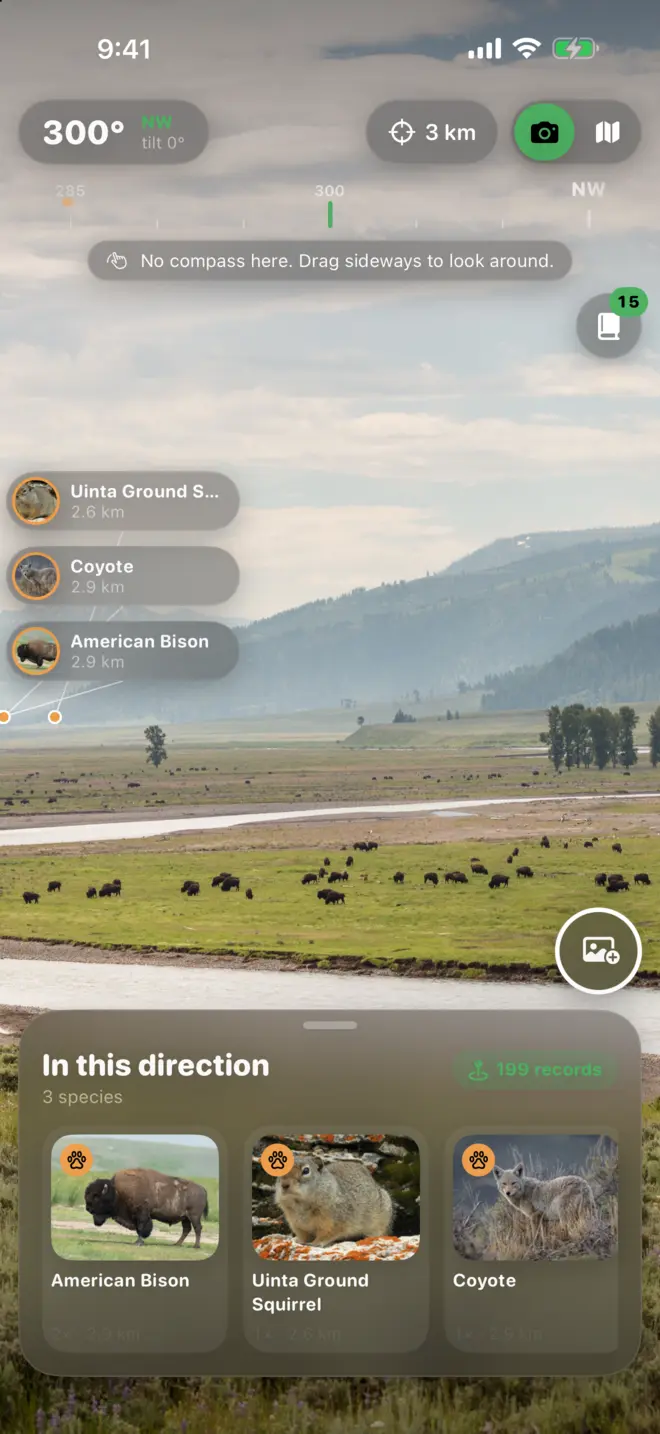
A compass tape runs across the top of the camera, and every label sits on the bearing where that animal was seen. Turn slowly and the valley fills in.
Wild Lens uses your location and the direction your phone is facing to float real wildlife sightings over the landscape in front of you. Bison on the flats, pronghorn on the ridge, a wolf further up the valley.
Free to try. No account, no sign-up.

How it works
Wild Lens looks up research-grade sightings around you, within 1, 3 or 10 km. Your location is only used for that lookup.
Point the camera at a ridge, meadow or shoreline. Labels appear in the direction each animal was actually recorded, with its distance.
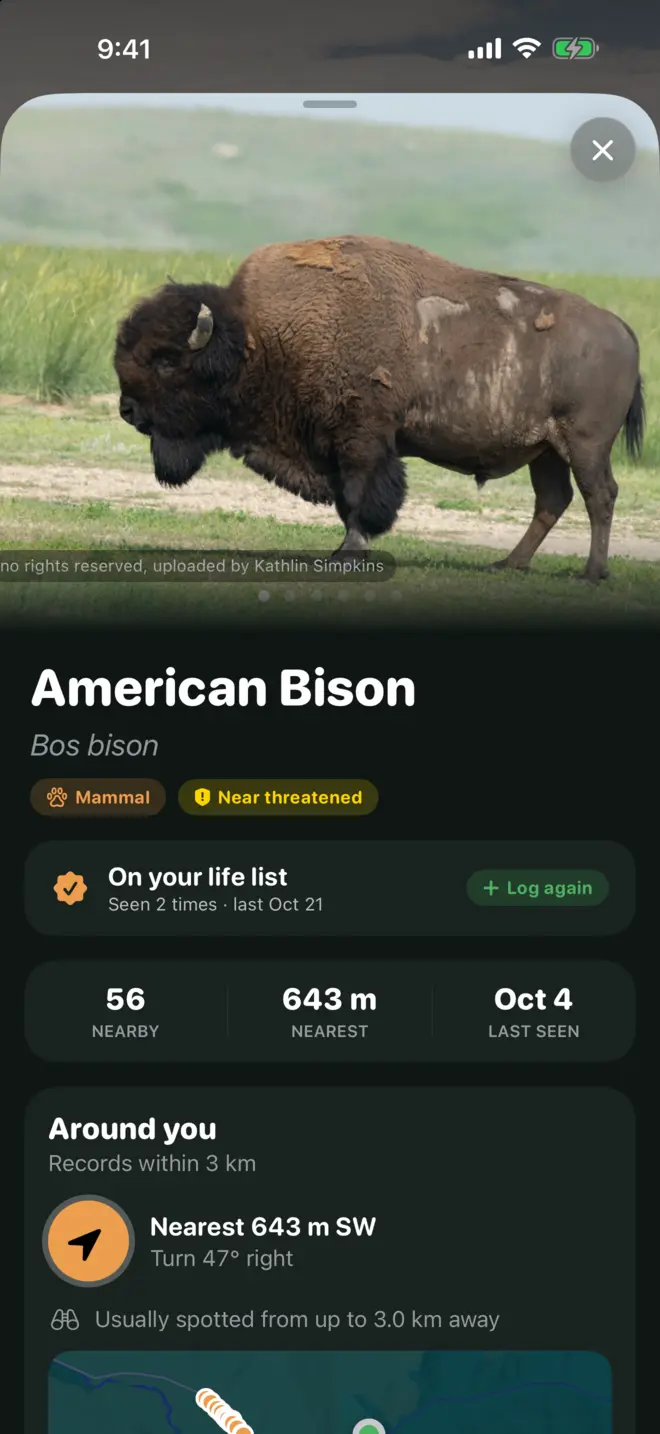
Open the field guide for that species: when it peaks near you, how far away it’s usually spotted, and how to turn to face it.

A compass tape runs across the top of the camera, and every label sits on the bearing where that animal was seen. Turn slowly and the valley fills in.

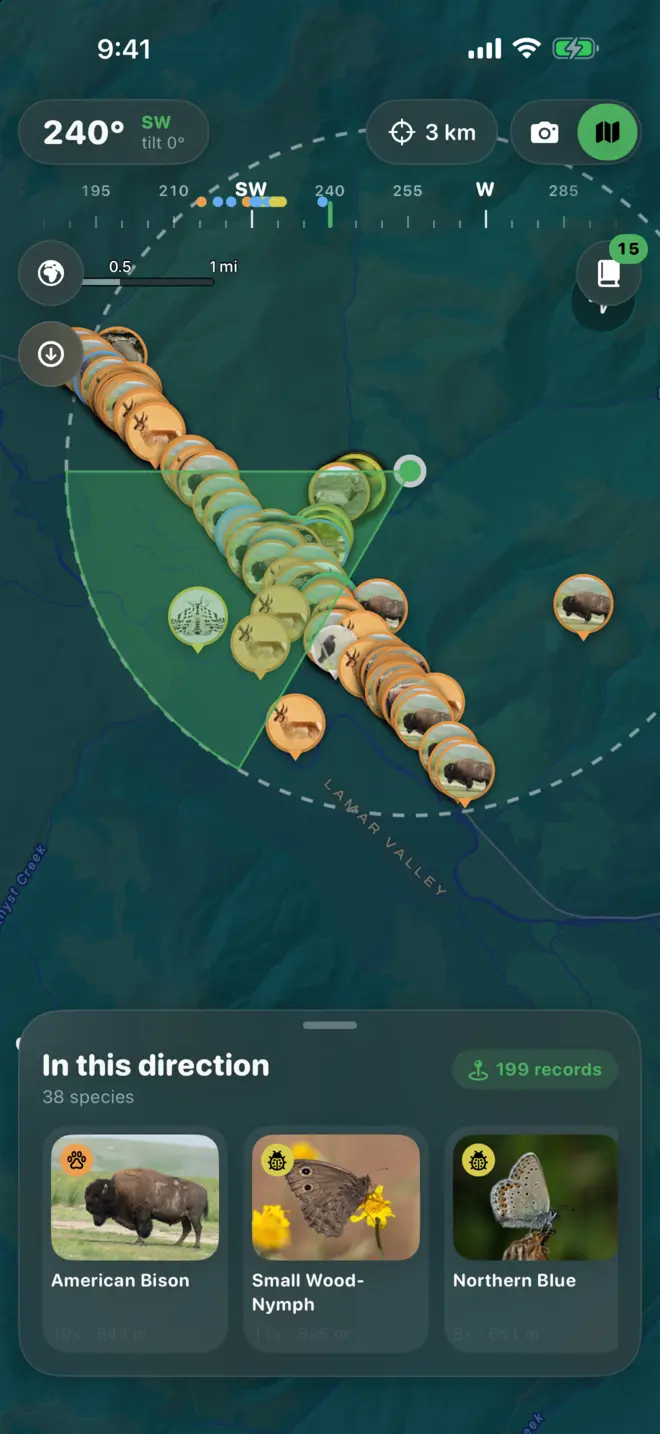
Flip to the map to see every record in the direction you’re facing, laid out across the terrain. Switch between map and satellite to plan which side of the valley to walk.

Tap any animal for its description, conservation status and the months it peaks near you. Wild Lens also tells you how far away people usually spot it, so you know whether to bring binoculars.

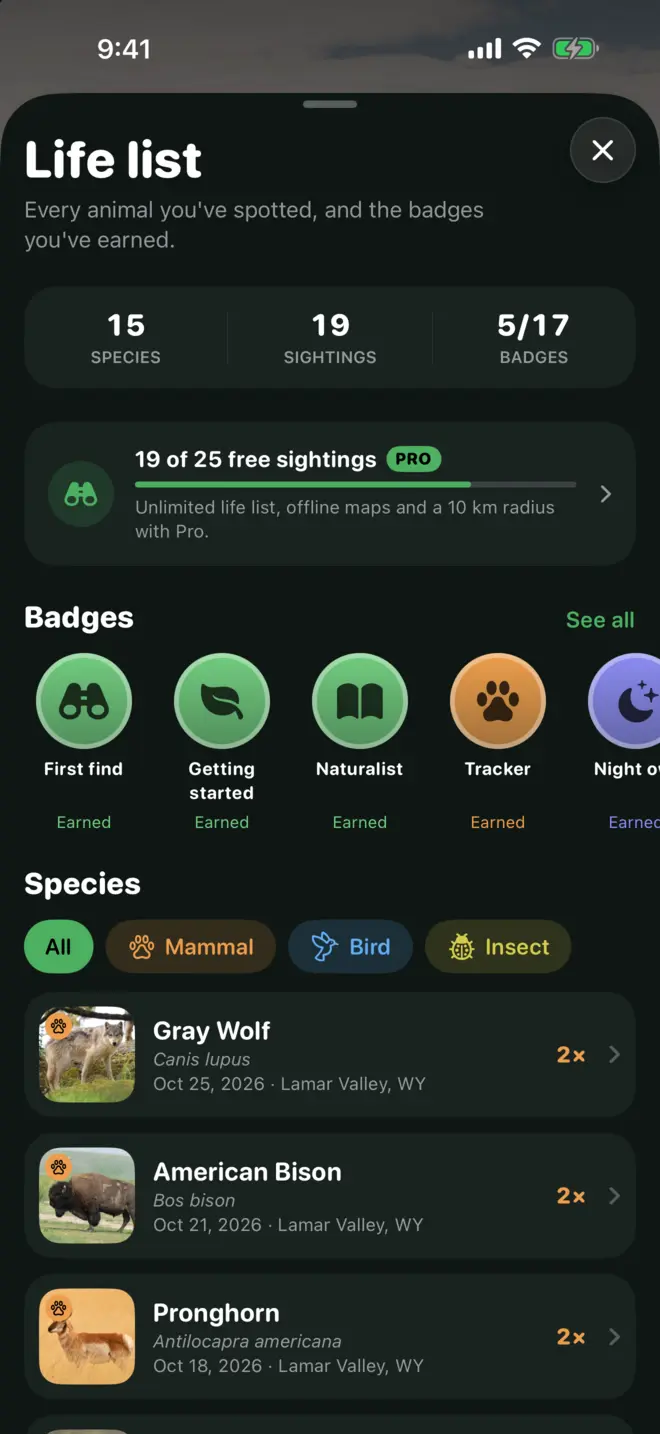
Tap “I saw it” to add a species to your life list with your own photo, notes and the place you saw it. Badges stack up as you go, like patches on a pack.

Before you head out, save a park or trail. Wild Lens downloads the sightings, species photos and map tiles for that area, so labels and the map keep working with zero bars.
Smart about what you can see
Each animal group gets a realistic sighting range, so the labels match what your eyes and binoculars can actually reach.
Indoors or facing a wall? Labels step aside and Wild Lens lists what’s around you instead.
After dark? Same thing. It waits for open landscape and light.
Postcards. Snap the view with its labels and share it with whoever stayed home.
Amphibians and fish share the reptile range; spiders and snails share the insect range. The map shows everything, whatever the distance.
Made for
Know what’s on the ridge before you get there, and save the trail for when signal drops.
See where each species has been logged lately and which months it peaks near you.
Pull over at a turnout, raise your phone, and know which way to aim the binoculars.
Face the sea from a headland and see where whales, seals and seabirds have been spotted.
Questions
From research-grade observations on iNaturalist, a global community of naturalists. Every label is a real record of that species near you, at the bearing and distance shown.
No. Wild Lens shows what has been recorded in the direction you’re facing, so you know what to look for before you see it. Use the field guide to confirm what you’ve found.
Yes, with Pro. Save an area before you leave and Wild Lens keeps the sightings, photos and map tiles on your phone. It switches to the saved area by itself when the connection drops.
It sends your coordinates to iNaturalist only to look up nearby records. There’s no account, and your life list and photos stay on your phone. Details are in the Privacy Policy.
Subscriptions are handled by Apple. Cancel anytime in Settings, then your name, then Subscriptions. To restore Pro on a new phone, tap Restore on the Pro screen. More answers on the support page.
Any iPhone running iOS 17 or later with a camera and compass.